Permalink
Post image
Permalink

The Wi-Fi attack surface remains quite large in 2025. Remove old SSID connections and disable auto-connect.

Post image
Permalink

Rue Montgallet - On ne rembourse pas ! 

Permalink
Post image
Permalink

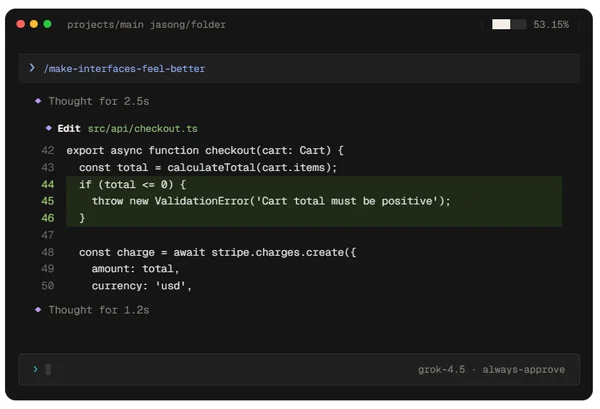
AI workflow ? 

Frontend = Cursor Sonnet 4.5
Backend = Claude Code Opus 4.1(plan) & Sonnet 4.5

Permalink

Should I put the OpenWRT One router in my homelab? It’s really tempting me right now. He uses a Mediatek WiFi chipset, and phew, no Broadcom (hello Raspberry Pi).

For now, I’m using the router(modem) provided by Orange with their Livebox. The thing is, Orange doesn’t offer a Bridge mode like Freebox does

Post image
Post image
Permalink

AI

Overview of API provision and proxies for consumption.

Generally, avoid unified API platforms — they are very expensive. It's better to consume APIs directly from the source, such as the creators of frontier models like Mistral, Anthropic, etc.

TUIs are also gaining popularity in the summer of 2025. The major creators of frontier models all have their own TUIs. I prefer using them because they are much lighter and more minimalist in approach. Moreover, the models are often nerfed and distilled in Cursor or Windsurf, with smaller context windows

 I find it's the most ideal way to consume APIs Inference is TUI. Nicolas


✶ API Inference

pure 🟢
api.anthropic.com/v1
api.mistral.ai/v1
api.deepseek.com/v1
api.moonshot.ai/v1
generativelanguage.googleapis.com

unified 🔴
Openrouter
Eden AI
LiteLLM
TogetherAI


✶ API Inference Proxy

TUI 🟢
Claude code
Qwen code
Gemini cli
Crush
Opencode
Anon Kode
Aider

GUI 🔴
Cursor
Windsurf
Trae
Kiro

GUI 🔴 (vscode extension)
Cline
Kilo Code
Roocode
Continue
Mistral Code
Augmentcode

Permalink

Keep Thinking

Permalink

Personally, I think this is the best place for a code-oriented agent like Claude or Qwen to have a terminal as its interface. No friction, no heavy IDE client. You just type 'claude', 'qwen' and boom — the entire folder context is loaded with a simple prompt interface. It's art: minimalist, simple, just the way I like it.

Post image
Permalink

The Open-Source Chinese AI Gang
Qwen - Kimi - DeepSeek
🇨🇳

Post image
Permalink

In case of a power outage, the GMKtec G3+ mini PC can reboot automatically by setting the value to S0.

Post image
Permalink

How to Move Back On-Prem 
It was probably dns   😂

Permalink

While attempting to enable GPU hardware acceleration in LXC containers using Incus, I encountered a significant roadblock: Debian 12's kernel 6.1 lacks support for the Intel N150 GPU, making hardware acceleration impossible.

This led me to explore bleeding-edge distributions like ArchLinux. I tested vanilla ArchLinux 2025.07.01 with kernel 6.15.4, and the GPU support worked flawlessly out of the box.

Post image
Permalink

My BambuLab A1
State of the art printer

Permalink

STEM models
Science, technology, engineering, and mathematics

- Grok4   
- o3-pro 
- DeepSeekR1

Post image
Permalink

Attention, Debian version 12.11 comes with the 6.1.0-37 kernel, which does not support the GPU of the Intel N150. I’m considering switching to Arch Linux on this GMKtec G3+ mini PC in order to get a more recent kernel version and thus benefit from GPU support.

Post image
Permalink

Using the raw Flux Kontext Dev open-weight model of 23GB with a LoRa on Lambda.ai cloud GPU.

I have the models stored on my own hard drive, and I upload them directly to the Lambda instance via Filebrowser through an SSH port forward on port 8080. I also expose the ComfyUI dashboard through the tunnel on port 8188.

Host LambdaComfy
    Hostname 192.9.251.153 #ip lambalabs
    User ubuntu
    LocalForward 8080 127.0.0.1:8080
    LocalForward 8188 127.0.0.1:8188
 
I'm using an Nvidia A10 with 24GB of VRAM. It's a bit tight for the full 23GB model, but it works... it takes about 1 to 2 minutes to generate an image.
 
Depending on your available VRAM

32GB VRAM --> Full-speed, full-precision model (24Go)
20GB VRAM --> FP8 quantized (12Go)
≤ 12GB VRAM --> Int8/GGUF small version (~5Go)
 
Install on Lambda.ai
 
$ curl -LsSf https://astral.sh/uv/install.sh | sh
$ uv add torch torchvision torchaudio
$ uv pip install -r requirements.txt
$ uv run main.py # run ComfyUI dash
 
$ curl -fsSL https://raw.githubusercontent.com/filebrowser/get/master/get.sh | bash
$ filebrowser -r ComfyUI/  # helping upload models
Post image
Post image
Post image
Post image
Post image
Close
Fullscreen image